

Fraud Alert: Single-use Apps May Still Be Grabbing Your Data
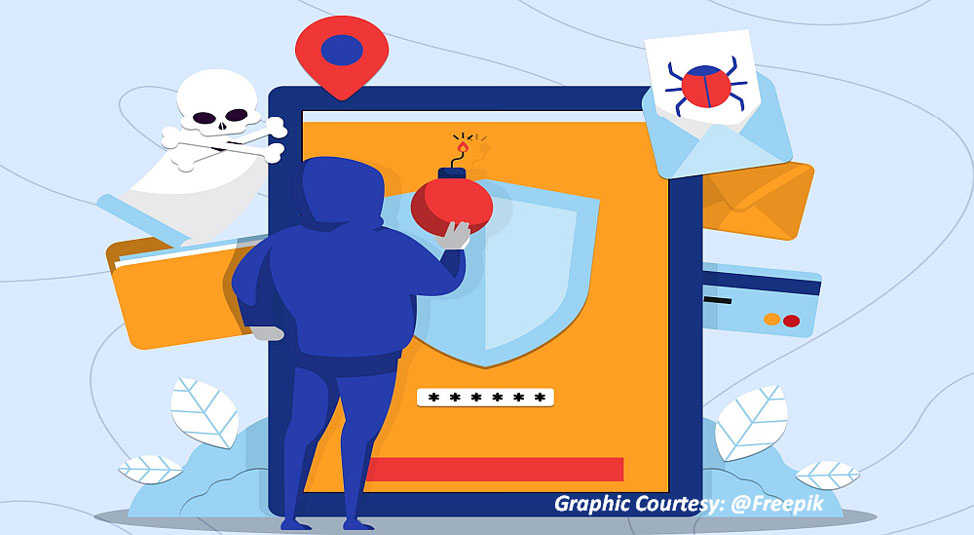
Smartphones were expected to ease the lives of users by making it easy to access goods and services—be it government compliances, financial investments, entertainment or shopping. Unfortunately, every seller or service-provider decided to create an app that they try and compel users to download. We, the users, end up with numerous apps on our mobile phones without a clue about how they are programmed and what data we are allowing them to access. We use some apps regularly and a few others once in a while. You would be surprised to find that you have used many apps, that are installed on your smartphone, only once. The sad part is these once-used apps may still be grabbing your data and accessing your personal information on an ongoing basis.
Single-use apps are mobile applications that fulfil a specific need and are designed to be used only once or for a limited time. While they might seem convenient or fun, several potential dangers are associated with these single-use apps.
For example, if you are travelling, everything you do, from watching films or a web series on the plane, to checking into your hotel or accessing your ticket to a theme park, often requires you to download an app.
Commenting on travel apps, security software provider Avast says many of those travel apps that you downloaded and forgot about are still grabbing data from your device long after you arrive back home. For example, it says Airbnb automatically accesses your log internet protocol (IP) address, precise location data from your smartphone's GPS, and device information. "On top of that, if you link accounts such as your Google or Facebook, the app also has access to your friends list and profile information."
Here are potential dangers and concerns related to mobile apps, especially single-use apps...
Privacy and Data Security: Single-use apps may request access to sensitive data or permissions they do not need, putting your personal information at risk. Some of them may not have robust security measures in place, making them vulnerable to data breaches and potential misuse of your data.
Malware and Scams: Some single-use apps might have been created with malicious intent, disguising themselves as harmless tools to steal personal information, introduce malware, or engage in phishing scams.
Wasting Resources: Downloading and installing numerous single-use apps can consume storage space on your smartphone, thus using valuable system resources. Some of these apps may not get removed after use, leading to clutter and decreased performance of your device over time.
Limited Functionality: While single-use apps may be convenient for a specific task, they often lack the versatility and features of more comprehensive apps.
Lack of Updates and Support: Developers of these apps may not provide regular updates (for fixing bugs and enhancing security) and could abandon the app after a short time. It would leave you with an outdated app potentially incompatible with the latest operating systems or devices. A lack of updates in any app could lead to security vulnerabilities and performance issues.
High Turnover: The nature of single-use apps often means they come and go quickly. As a result, users may need to constantly seek alternatives or adjust to new apps which can be frustrating and time-consuming.
Battery Drain: Some single-use apps might run in the background or use location services unnecessarily, leading to increased battery consumption and reduced overall device performance.
Data Leaks and Sharing: Some single-use apps might share your data with third parties without your knowledge or consent which can lead to targeted advertising or other privacy concerns.
To minimise the risks associated with single-use apps, follow the steps below:
- Do not install any app without checking the details and assessing its actual use.
- Always use official app stores for downloading and installing any app on your smartphone. Avoid apps that ask for unnecessary access to your data or device functions. For example, if a flashlight app asks for access to your contacts, call logs or location, it is a red flag.
- Do read user reviews and check the app's permissions before installing it.
- Be cautious when granting permissions to the app. Allow only those permissions that are necessary for the app to function.
- If possible, make sure you grant selective permission to the app. Grant permission 'while using' or 'only while using the app' instead of 'always'.
- Adjust privacy settings on your device to control what data and functions each app can access. For example, you can turn off location services for apps that do not need them. For example, the audio or video player app you have downloaded does not usually need access to your location.
- Some single-use apps may try to sell or pressure you into making in-app purchases. Be cautious and buy, if needed, only from trustworthy apps.
- Consider using web-based tools when possible to avoid cluttering your device with single-use apps.
- Review and uninstall apps you no longer require or intend to use regularly.
- Remember, your digital security and privacy should always be a top priority, so be vigilant about the apps you use and the permissions you grant.
Remember, digital security and privacy protection are ongoing processes, so remain vigilant and cautious when using any app, regardless of its purpose. By following the above guidelines, you can reduce the risks of single-use apps and maintain a safer experience while using a smartphone.
How To Report Cyber Fraud?
Do report cybercrimes to the National Cyber Crime Reporting Portal http://cybercrime.gov.in or call the toll-free National Helpline number, 1930. To follow on social media: Twitter (@Cyberdost), Facebook (CyberDostI4C), Instagram (cyberdostl4C), Telegram (cyberdosti4c).
Are you a victim of Online Financial Fraud? Immediately call helpline Number 1930 and register your complaint at https://t.co/cr6WZMOi4c pic.twitter.com/HZqUMKSDNF
— Cyber Dost (@Cyberdost) October 12, 2022
If the fraud is related to your bank account, you need to immediately send an email to the official email ID of your branch (you can find it on the bank's website or your passbook) with a copy to the bank's customer care. Even if you have called the official number for customer care, you must still send an email describing your conversation with the bank executive, along with the time, date, and duration of the call. This will be helpful if you face a liability issue with the bank.